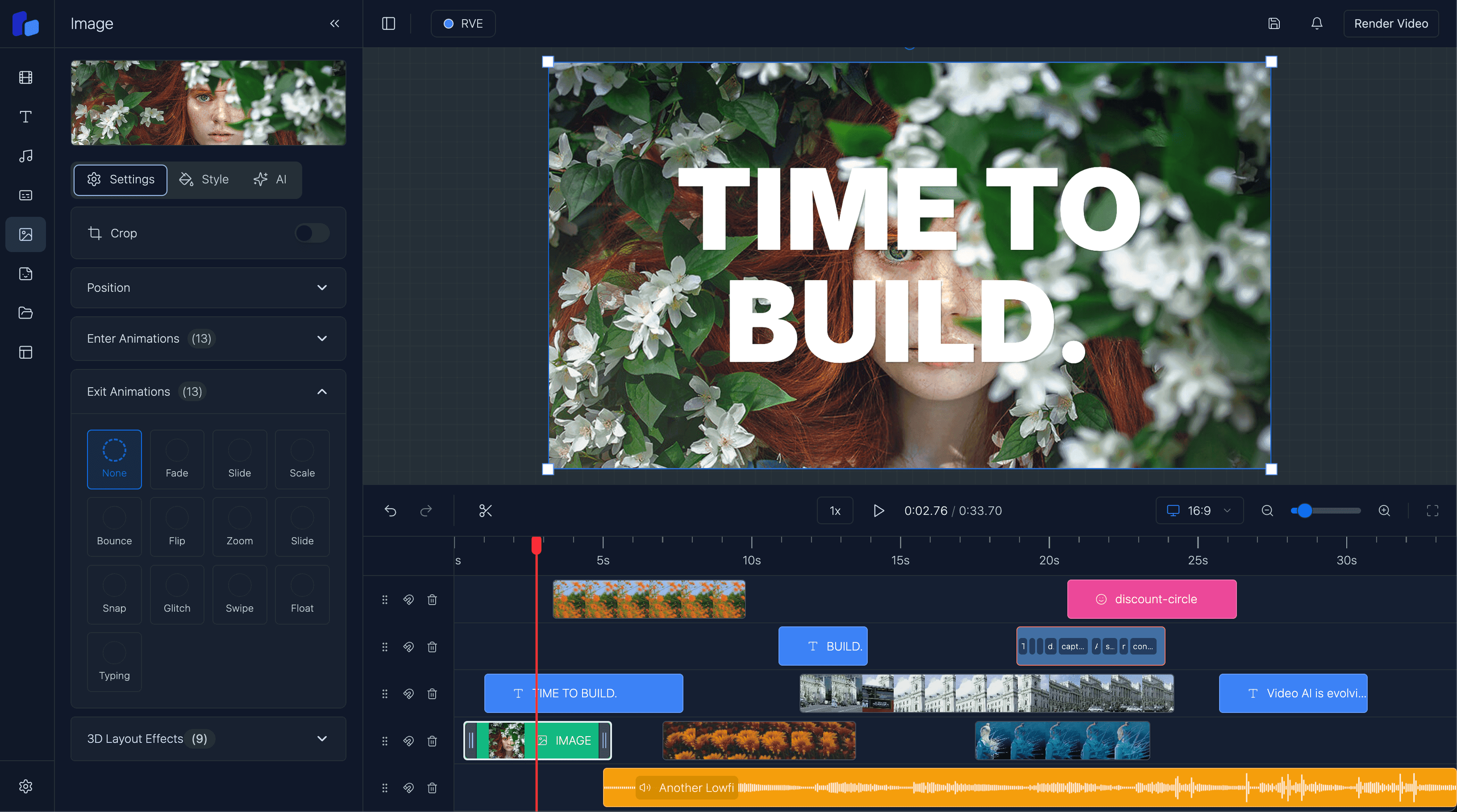
How to Integrate React Video Editor into a Next.js App
A practical guide to integrating React Video Editor into a Next.js app, including where the editor should live, what your app still needs to own, and how to think about embedding vs building from scratch.
Sam
Creator of RVE
If you want to integrate React Video Editor into a Next.js app, the main question is not whether you can mount the editor inside a page.
It is whether the editor fits your product shell, project model, upload flow, rendering path, and user workflow without turning your app into a patchwork of half-connected media systems.
Key takeaways
- The best integration keeps the editor inside your existing Next.js routing, auth, and product shell rather than treating it like a disconnected tool.
- A React video editor integration still requires decisions around uploads, persistence, templates, permissions, and rendering.
- Most teams do not need to build the editor from scratch; they need a reliable editing foundation that fits the rest of their app.
If you are earlier in the evaluation, read React Video Editor Component: What Teams Actually Need, Build vs Buy a Video Editor, and How to Build a Video Editor in React.
What “integration” should mean in a Next.js app
A good integration is not just rendering an editor on /editor.
It should feel native to the product you are already building.
That usually means the editor needs to fit into:
- your existing app routing
- your auth and user permissions
- your upload and asset model
- your project persistence layer
- your templates and presets
- your render/export workflow
- your surrounding UX, billing, and product logic
That is why “integration” is usually a product problem as much as a frontend problem.
Where the editor usually lives
In most Next.js products, the editor becomes one surface inside a broader app.
Common patterns:
1. A dedicated editing route
For example:
/projects/[id]/edit/videos/[id]/editor/workspace/editor/[projectId]
This is usually the cleanest setup because it keeps the editor inside your app shell while giving it enough room to behave like a serious workflow.
2. An embedded step in a larger flow
Some teams use the editor inside a campaign builder, AI workflow, onboarding sequence, or internal content tool.
In that case the editor is not the destination. It is a stage in the product flow.
3. A white-label editing experience inside a customer-facing app
If this is your path, the integration question overlaps with branding, navigation ownership, and product-native UX. Read White-Label Video Editor in React.
What your app still needs to own
Embedding an editor does not remove the rest of the system.
Even with a React-native editor foundation, your Next.js app still needs to decide how it handles:
- uploads and asset references
- project save/load behavior
- templates
- auth and permissions
- render triggers
- export destination or delivery
- feature gating and billing
- customer-specific workflows
This is where teams sometimes get confused.
They think they are choosing an editor UI, but they are really choosing how editing fits into the rest of the product.
Option A
Integration is straightforward when...
- Your editor is one step inside an existing Next.js product flow.
- You already know how projects, uploads, and exports should behave.
- You want the editor to inherit your existing routing, auth, and product shell.
Option B
Integration gets harder when...
- You have not defined your project model or persistence strategy yet.
- Uploads, templates, rendering, and delivery are still separate unresolved questions.
- You are treating the editor as a shortcut for product decisions that still need to be made elsewhere.
A practical integration sequence
For most teams, the cleanest order looks like this:
Step 1: Decide what the editor is inside your app
Is it:
- a feature inside a broader SaaS product?
- a human review layer for AI video workflows?
- a customer-facing creation surface?
- an internal editing tool?
That determines how much product logic needs to sit around it.
Step 2: Define the project model
Before the UI work gets too deep, decide:
- what a project contains
- how clips/assets are referenced
- how draft state is saved
- what needs to persist between sessions
- what the export target expects
If this is weak, integration gets expensive later.
Step 3: Put the editor in the real app shell
Do not treat it like an isolated demo page forever.
Wire it into the same shell your users already understand:
- auth
- navigation
- routing
- permissions
- product-specific actions
Step 4: Connect uploads, templates, and rendering
This is usually where the real value appears.
The editor becomes useful when it is connected to the assets, templates, and output flow your product already cares about.
Step 5: Make sure preview and export agree
A polished integration is not just about the editing UI.
Users need confidence that what they see in preview maps cleanly to the render/export path.
Where React Video Editor fits well
React Video Editor is strongest when you want editing to live inside your React or Next.js product rather than beside it.
That makes it useful for teams building:
- SaaS workflows with embedded editing
- AI video products with human-in-the-loop review
- branded internal or customer-facing editors
- React apps that need timeline editing, overlays, captions, and project workflows
If your main evaluation path is embedded product usage, read React Video Editor for SaaS. If your question is whether the editor should be treated as a component, read React Video Editor Component: What Teams Actually Need.
What a strong Next.js integration gives you
- The editor can live inside your existing app shell and customer workflow.
- You keep control over templates, permissions, billing, and product logic.
- Your team can focus more on workflow and differentiation instead of rebuilding editor basics.
What integration does not magically solve
- You still need to define project persistence, uploads, and export behavior.
- You still need product decisions around who can edit what and where outputs go.
- You still need to make sure the editor fits the rest of your app UX instead of feeling bolted on.
FAQ
Can I use React Video Editor inside a Next.js app?
Yes. Next.js is a natural fit when you want the editor to live inside your existing routing, auth, APIs, and product shell.
Is integrating an editor mostly a frontend task?
No. The UI matters, but the harder questions are usually around uploads, project data, templates, rendering, persistence, and workflow ownership.
Should I build my own editor instead of integrating one?
Usually not unless the editing interaction model itself is your moat. For most teams, the bigger product value sits in the workflow around the editor, not in rebuilding timeline infrastructure from zero.
What should I read after this?
If you are evaluating the component/library angle, read React Video Editor Component: What Teams Actually Need. If you are making a product decision, read Build vs Buy a Video Editor. If you are embedding editing into a product workflow, read React Video Editor for SaaS.
Next step
If the editor is going inside your app, design the workflow around it early
The strongest integrations are not just mounted components. They are product-native editing flows with a clear project model, upload path, and export story.